 why
whyNot a mockup
This is the real dashboard.
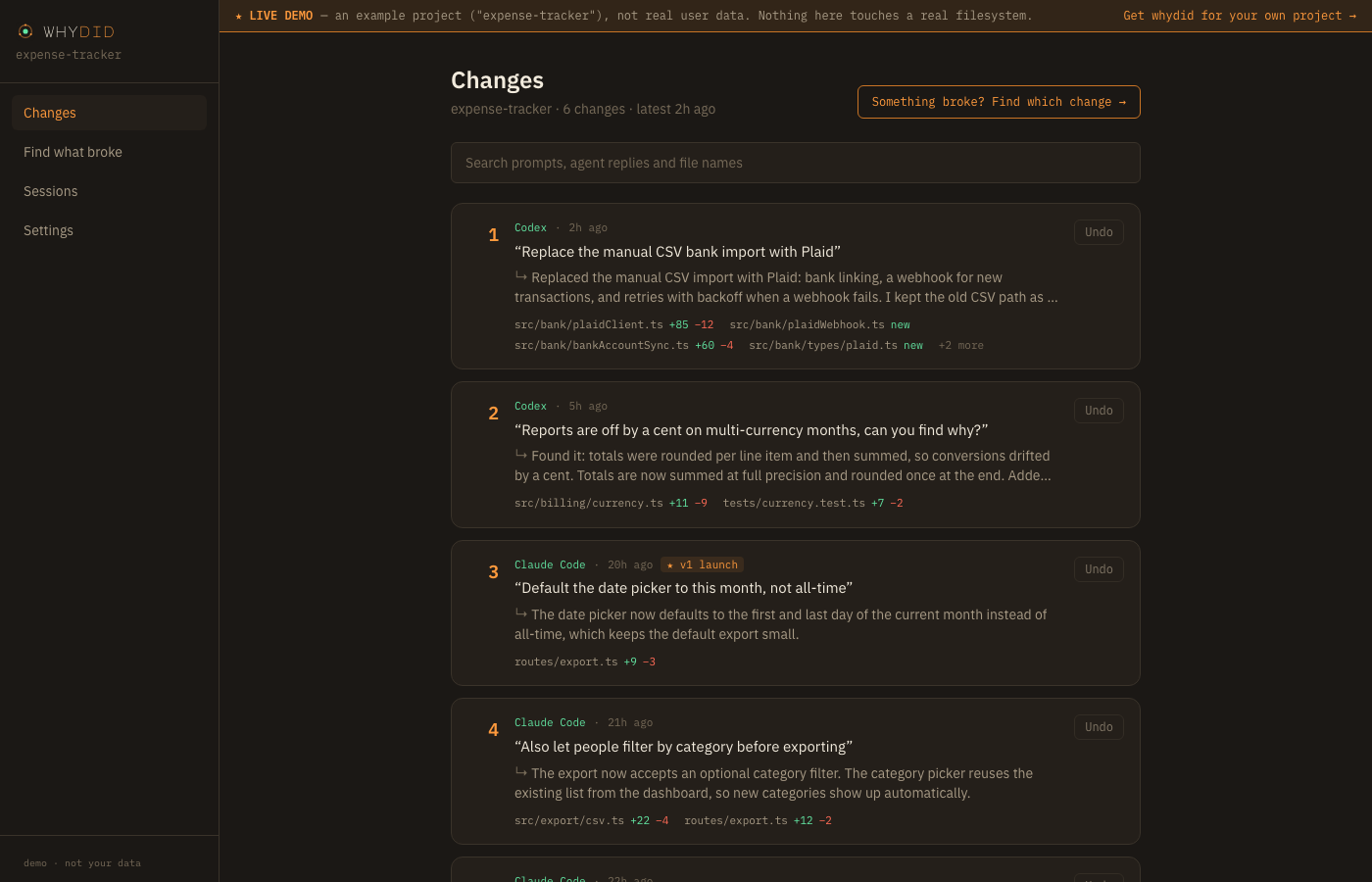
The exact same pages and components as the actual product — not a second hand-built simulation. It’s wired to a seeded example project (“expense-tracker”) instead of a live daemon, so you can click through everything without installing anything.
Open the live demo →Opens in a new tab, on this site
That’s a deliberate exception, just for this demo, so you can click around before installing anything. The real thing doesn’t work this way: once you install whydid, this exact dashboard opens locally on your own machine, at an address only you can reach — never hosted on whydid.dev, never anywhere we can see it.
Genuinely interactive
- Changes — every change from Claude Code and Codex, with the prompt behind it and what the agent said it did; search them
- Change detail — the prompt, the agent's full reply, and the real unified diff for every file
- Sessions — each agent conversation, prompt by prompt, linked to the change it made
- Tags — mark a change ("v1 launch") and see it everywhere, for this browser tab
- Settings — connected agents, the test command, and how AI summaries would be written
Can’t work in a browser demo
- Undo, restore and fork — they need a real project on disk, so clicking them here explains that instead of pretending.
- Find what broke — it runs your real test command against past versions, so there's nothing to run in a browser.